

Showing posts with label Cybersmart. Show all posts
Showing posts with label Cybersmart. Show all posts
Inspired by Banksy - Quinn's Art
Quinn is a Year 8 student at Matawai School in Gisborne, part of our Tairāwhiti cluster. Quinn has written a quality blogpost sharing his art inquiry on Banksy. In his blogspost Quinn has explained why he was inspired by Banksy, the process he used to create his masterpiece and a reflection on his work. You will notice by reading the comments on this blogpost, Quinn has also responded to questions of his readers and written quality replies to comments connecting him to his readers. This example would be perfect to use as part of the Manaiaklani Cybersmart Curriculum for both Smart Relationships - replying to a comment and Smart Footprint - writing a quality blogpost. Check out Quinn's blogpost and his art on this individual blog.


Quality Blog Comments - Smart Relationships in Action
Tufui is a Year 6 learner at Wesley Primary School, part of our Ako Hiko cluster in Auckand. As part of the Smart Relationships component of the Manaiakalani Cybersmart Curriculum
Tufui has been learning about how to write a quality blog comment. Tufui has shared her learning using Google Drawing and has included a screenshot of the blogpost she commented on, the process she has used to construct her comment (positive, thoughtful, helpful, and added a question to make a connection) and her comment. A perfect example of sharing understanding of how to leave a quality blog comment for both teachers/learners. Check out Tufui's blog and see if you can match her quality comment with yours.

Tufui has been learning about how to write a quality blog comment. Tufui has shared her learning using Google Drawing and has included a screenshot of the blogpost she commented on, the process she has used to construct her comment (positive, thoughtful, helpful, and added a question to make a connection) and her comment. A perfect example of sharing understanding of how to leave a quality blog comment for both teachers/learners. Check out Tufui's blog and see if you can match her quality comment with yours.

Quality Blogpost - Sharing Art Learning
Richard is a Year 6 student at Waikowhai Primary, part of our Ako Hiko cluster in Auckland. Richard has written a quality blogpost on his individual blog sharing his artwork. In Richard's blogpost he has shared the process of his art, his reflection on his art, and his partners feedback on his art. Richard has also invited his readers to come along to the Waikowhai Primary Art Show. This blogpost would be beneficial to use as part of the Manaiakalani Cybersmart Curriculum - Smart Footprint - Creating a Quality Blogpost.


Tufui's Creative Blog Profile
Tufui is a Year 6 learner at Wesley Primary School, part of our Ako Hiko cluster in Auckland. Tufui has shared her blog profile on her individual blog in a creative way. Tufui has used a combination of Google Slides, Screencastify and Incredibox to create an introduction of herself to her blog readers. This would be an excellent example to show teachers/learners as part of the Smart Footprint - Manaiakalani Cybersmart Curriculum - creating a blog profile.


Creative Learners using Google Drawing
Google Drawing is often under-utilised within the Google Apps for Education site of tools. It an incredible tool for creating and I have been impressed with the work of learners from across our clusters as I explore their blogs. In our recent Manaiakalani Online Toolkits (Term 4 2018), two of our Facilitators offered presentations in Google Drawing. Both Vicki and Kelsey shared examples of Google Drawings created by student in their presentations.
How to Draw Like a Pro - Vicki Archer ( Te Reanga Ipurangi Ōtaki Cluster)
The Go Getter's Guide to Google Drawing - Kelsey Morgan (Uru Mānuka)
These students blogposts could be used to inspire your learners as to ways they can be creative and share their learning and talent in different ways using Google Drawing.


How to Draw Like a Pro - Vicki Archer ( Te Reanga Ipurangi Ōtaki Cluster)
The Go Getter's Guide to Google Drawing - Kelsey Morgan (Uru Mānuka)
These students blogposts could be used to inspire your learners as to ways they can be creative and share their learning and talent in different ways using Google Drawing.
Riley @ Gisborne Intermediate - Creative About Me

Tenille @ Gisborne Intermediate - Collaborative Art Project

Jaimie @ St Bernadettes School - Learning how to Trace a Dog

Nikita @ St Bernadettes School - Telling a Story with Animation using Google Drawings

Samuel @ Ōtaki School - Blog Profile Picture

Riley @ Gisborne Intermediate - Creating a Cybersmart Character

Kelsey has also created 12 step by step 'how to' videos which can be accessed through her presentation (slide 7). The recordings of both of these toolkits can also be accessed at the bottom of the Online Toolkits site.
Examples of Rewindable Learning
+James Hopkins is the Manaiakalani Outreach Facilitator within the Ako Hiko cluster. At a recent Leaders Professional Learning Group James has collated examples of Rewindable Learning from teachers. James has recently added these links within the Ako Hiko Cluster Site.
'Often the challenge with creating rewindable resources for your learners is simply knowing where to start. Below are a selection of links to resources created from 2015-2017 in the cluster. If reusing anything, please make sure you are crediting the original owner. If unsure of copyright, check school policy and seek permission first.'
School
|
Year level
|
Teacher
|
Link
|
Brief Description
|
May Road School
|
4/5/6
|
Vasa Key
|
Educreations video of a fractions of number lesson.
| |
Owairaka District School
|
5/6
|
Kristie Mills
|
Simple slides detailing the steps and processes for division.
| |
Wesley Primary
|
3/4
|
Sam Bound
|
Maths modelling book
| |
Owairaka District School
|
5/6
|
Rachael O’Shea
|
Captured student’s words as alternatives to ‘said’
| |
Waikowhai Primary
|
5/6
|
Shiralee Sands
|
Setting up maths problems for a buddy
| |
CTK
|
5/6
|
Billy Hadnett
|
Digital modelling books for maths groups.
| |
Wesley Primary
|
5/6
|
Phil Margetts
|
Toolkit
| |
Hay Park School
|
4-6
|
Christina Fortes
|
Digital modelling book templates
| |
Waikowhai Primary
|
1/2
|
Miriam Lane
|
Kawa of care example for junior students
| |
Wesley Intermediate
|
7-8
|
Andy Crowe
|
Reciprocal reading guide.
| |
Smart Commenting and Replying to Comments
The Year 5 and 6 students at Owairaka District School enjoyed sharing photos from their camp at Chosen Valley on their class blog. Room 23 are participants of Tuhi Mai Tuhi Atu and therefore have a ready and waiting audience for their blogposts. Their audience (from 3 other Manaiakalani Outreach Schools throughout Aotearoa) focus on providing positive, thoughtful and helpful comments as part of the Manaiakalani Cybersmart Curriculum. This blogpost is an incredible example of the power of an authentic audience to leave comments and the connections these have made between students. You will notice the building of relationships through students replying to each others comments. Head over to their class blog to check out all the comments - last count 29 comments!


Thinking about Cybersmarts @ Hay Park School
Patrick is a year 3 student in Morris Class at Hay Park School, part of the the Ako Hiko cluster in Auckland. Patrick has been learning about being Cybersmart and has created an infographic of what to do when you see something 'scary' while on a webpage. This is a great example of our younger learners taking part in the cybersmart curriculum in an authentic context and following the Learn, Create, Share pedagogy. As posted by his teacher Sandy Rai on this post.

Credit - +Sandy Rai
'Being prepared makes you a cyber smart person who is going to thrive in the digital world.'
Credit - +Sandy Rai
A Book Review with a Difference
Takuira and Tim are Year 6 students at Tautoro School, part of the Kaikohekohe cluster. As part of the Manaiakalani Cybermart Curriculum they have been learning to evaluate the quality of their blogposts. This has inspired them to create a great introductory movie to Takuira's book review of 'Driving through Asthma'. These boys have taken a simple written book review and added a new dimension. A great example to share with teachers and students as they embed the Learn, Create, Share pedagogy throughout the curriculum.
Quality Blog Commenting
Quality blog commenting is an integral part of the Manaiakalani Cybersmart programme. The learners at Karoro School have been working hard on building their quality blog commenting skills. You can check out the comments that they have left on this St Patrick's School blogpost (scroll down to see the comments section) Karoro School learners are part of the Tuhi Mai, Tuhi Atu Manaiakalani Blogging programme and have made connections with 3 other classes including St Patricks.


Creating with ThingLink - Ko Wai Au
As part of the Manaiakalani Cybersmart programme our students learn about creating a positive digital footprint. Part of this is thinking about what is appropriate to share about themselves online. Learners in Year 7 and 8 at Waima School, part of the Kaikohekohe cluster, have been using ThingLink to create their 'About Me' Digital Learning Objects. Once learners have worked their way through the cybersmart programme and learnt the process of smart blogging through their class blog they will have the opportunity to set up their individual blogs. Their continued learning will then be shared on their individual blogs. In the meantime you can check out their 'About Me' on their class blog.
About Me

About Me

About Me

ThingLink Edu
About Me
About Me
About Me
ThingLink Edu
Credit - +Moni Donaldson
Visible Teaching in Action - Quality blog commenting
In this Class OnAir example you can watch a video clip of Matt's whole class lesson on writing quality blog comments. You are able to read Matt's reflections and next steps as well as access his lesson plan and presentation. Quality blog commenting is a vital part of the Learn, Create, Share pedagogy - it is an important aspect of the Manaiakalani cybersmart curriculum and should be revisited with learners on a regular basis.

Credit - + Matt Goodwin
Linking Blog Address into a Comment - How to by Alex
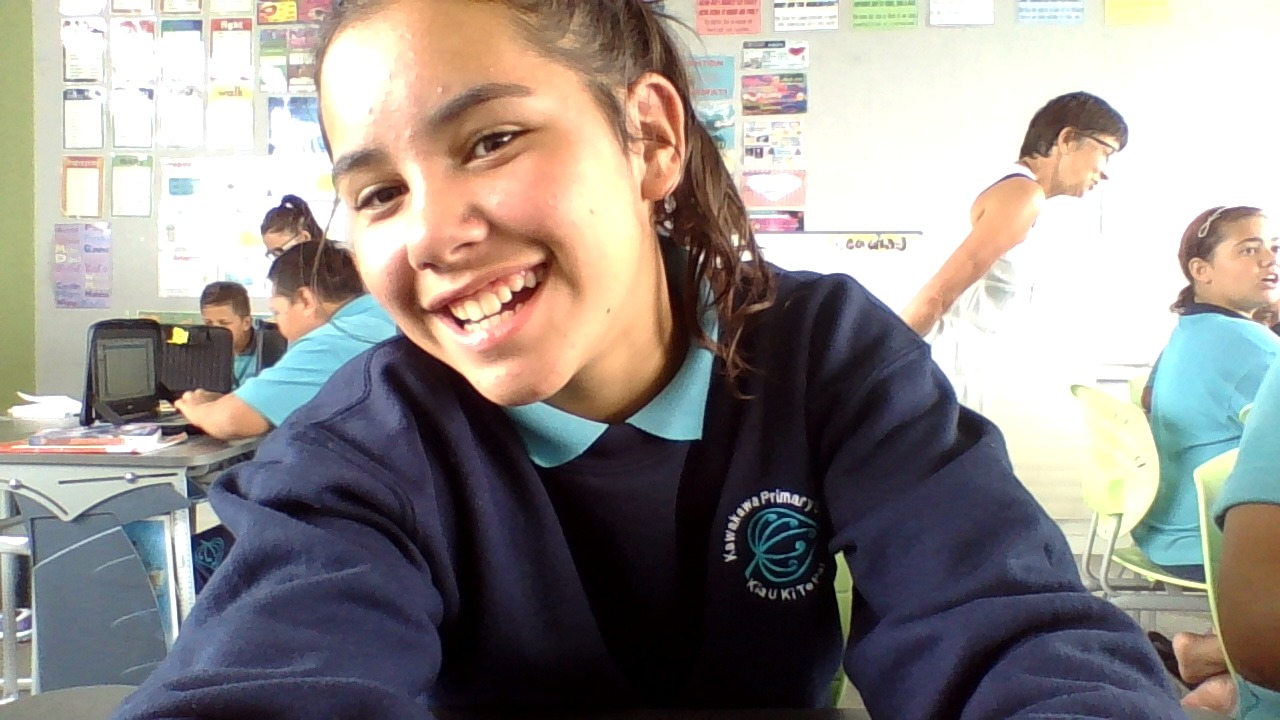
Alex from Kawakawa Primary School was interested in sharing her blog link in her blog comments to allow others to easily access her blog. Alex researched how to do this and has taken the time to create a Screencastify to show her learning and share it with others.
Check out Alex's blog and you too can learn how to do this.

Bringing Learning to Life - Stop Motion Animation
The year 6 learners at Hay Park School in the Ako Hiko cluster have been learning how to use Stop Motion Animation. The idea being that Stop Motion will become another way of presenting their learning in a creative way. This goal of this first session was to explore 'What is Animation' and then have a hands on experience with the 'how to' of animation. Students worked collaboratively and it was excited to stand back and see the animation within these groups of students as they worked as a team to create their animations.
Check out Scott Class Learners Blog and follow the links to the students blogs too.

Chrome Apps
Credit - Vicki Archer
Check out Scott Class Learners Blog and follow the links to the students blogs too.

Chrome Apps
Credit - Vicki Archer
Hug and Hold - Caring for Your Chromebook
As part of the Manaiakalani Cybersmart Curriculum Students at Christ the King School and Wesley Intermediate School have been creating comics to show their understanding of caring for their chromebooks. This is a great example of making the learning authentic by encouraging the students to put themselves in the story. A lot of great role modeling first by James Hopkins and actors you see in the comic strips below.
Please note - No chromebooks were damaged in the creation of these comic strips.


Credit - James Hopkins
Right Place, Right Time, Online
This Google Presentation - Right Place, Right Time, Online - was put together by Madeline Campbell to support learners within the Cybersmart Curriculum. It can be used by all learners as they delve into the importance of be cybersmart in an online space.

Credit - Madeline Campbell
SMRF IT!
How do we remember what to do when we open a new Doc, Drawing, Slide that is view only? A great visual to remind both teachers and learners of this very simple process. Thanks to our Manaiakalani Outreach Facilitators for the concept and the creative genius :-)
Credit - James Hopkins, and Madeline Campbell

Taking a Cybersmart Journey
The year 6 students from Ruapotaka School created this amazing video - The Journey - a short and powerful video clip sharing their understanding around being Cybersmart, as their entry for the 2015 Manaiakalani Film Festival. You will notice, when you check out their blog, an incredible 80+ comments! This would be a great video clip to share with learners/teachers as part of the Cybersmart curriculum. I am sure it will 'inspire' to get creative with sharing their own cybersmart messages.
Credit - Kate Ginders
Credit - Kate Ginders
Capturing Learning and Understanding using Screencastify
Daniel is a Year 5/6 learner in a 1-1 digital immersion class at Wesley Primary, a school in the Ako Hiko Cluster. They are very new to chromebooks and have been learning to capture what they are doing using screencastify. The idea being that they can then refer back to their recordings to remind themselves, help others and share their learning. In this screencast, published on his class blog, Daniel is teaching us how to make a copy of a Google document.
Credit - Hannah Lawson
 |
| Screenshot of Daniel's Screen Recording using Screencastify |
Credit - Hannah Lawson
Exploring Digital Footprints
In this blogpost Stephanie, from Glenbrae School, shares a journey she has taken alongside her year 5 and 6 learners as they explore the concept of digital footprints as part of the cybersmart programme. Stephanie uses an authentic 'experiment' to showcase to her learners how fast an image/message can spread around the world using social media. Stephanie shares the ongoing learning process that continued as a result of this experiment.
Read more on Stephanie's blogpost.

Credit - + Stephanie Parker
Read more on Stephanie's blogpost.

Credit - + Stephanie Parker
Subscribe to:
Posts (Atom)